Value Engineering Services

Products & Services Guide
Categories
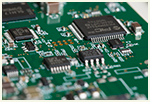

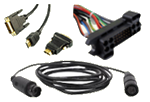
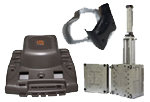
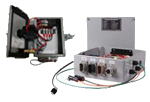

Products are becoming increasingly complex, but as technology accelerates, the marketable window of those products continues to shrink. Producers must respond by minimizing inventory and manufacturing in ways that control costs. Scalability is crucial; companies need to increase or decrease production quickly, while ensuring repeatable builds over time and distance. In a myriad of ways, manufacturing must become more responsive to the marketplace.
Cypress Industries was designed to make it happen.
A Comprehensive Solution
We begin each project by listening. Every customer is unique, and their needs change over time. So we blend a wide range of skills and facilities into the right solution for each project, and alter our strategy as new challenges arise.
- Value engineering is our primary focus. A simple change in the manufacturing process can significantly increase product lifespan or decrease manufacturing costs. And because we consciously design and thoroughly document each step, we can take a product from prototype to large volume production in a way that minimizes costs, ensures quality and guarantees that each build is identical to the first.
- A single supply chain makes it possible to design prototypes and work through the details of a production run without the communications complexity required by multiple vendors. Because we operate all of our facilities using the same protocols, overseas manufacturing and distribution become simple steps in the same transaction, and don’t require complex new relationships that engender competing interests.
- Manufacturing flexibility has become a critical resource in a highly connected world, where product demand fluctuates inconsistently and consumer preferences can change almost overnight. Our facilities in the US, Mexico, India and China work together from a common drawing, design and ERP system, taking advantages of local cost structures and the availability of raw materials to decrease production and shipping costs while quickly responding to our customers’ needs.
- Quality and repeatability are intrinsically linked. As we move through the manufacturing design process and evaluate the tools, techniques and materials needed to create quality products perfectly suited to their uses and environments, we incorporate high-end ERP systems to accurately document the entire process. This allows us to generate repeat builds at any of our facilities, meeting first-article quality standards every time. We meet or exceed a wide range of specifications:
- IPC-A-620 certified manufacturing facilities
- UL & CSA listed
- ISO 9001:2015
- ITAR Certified-segregated servers and production floors
- We have a Cage Code, available on request.
- We build products to a wide range of military specs, including MIL-STD-1460, MIL-S-45743, MIL-STD-2000 and J Standard-001 Class 3 connectors.
- Member of Wire Harness Manufacturers Association (WHMA)
- Warehousing and fulfillment shouldn’t be add-ons to the production process - they can be critical parts of the supply chain, and can significantly affect overall cost efficiency. We offer complete kitting, fulfillment and inventory control, including just-in-time manufacturing and automatic shipping, to make sure that your company has what it needs, when it needs it.
The Right Tool for the Right Job
If you’re limited to plastics, you miss out on the advantages of metal. If your only focus is electronics, you might not understand how to house them in equipment designed for extreme environments. That’s why we bring engineers with a wide range of skill sets and tools to each project we don’t try to solve every problem with the same solution.
This is the key to designing for manufacturability. No matter how complex the need or extreme the environment, we can develop a process and a product that meets the challenge. We offer: